Define what the test can establish
Paper trading runs a configured workflow against a simulated broker account. It can help expose connection mistakes, order-state errors, incomplete logs and unclear operating procedures. It cannot establish that the same prices, liquidity or results will occur in a live account.
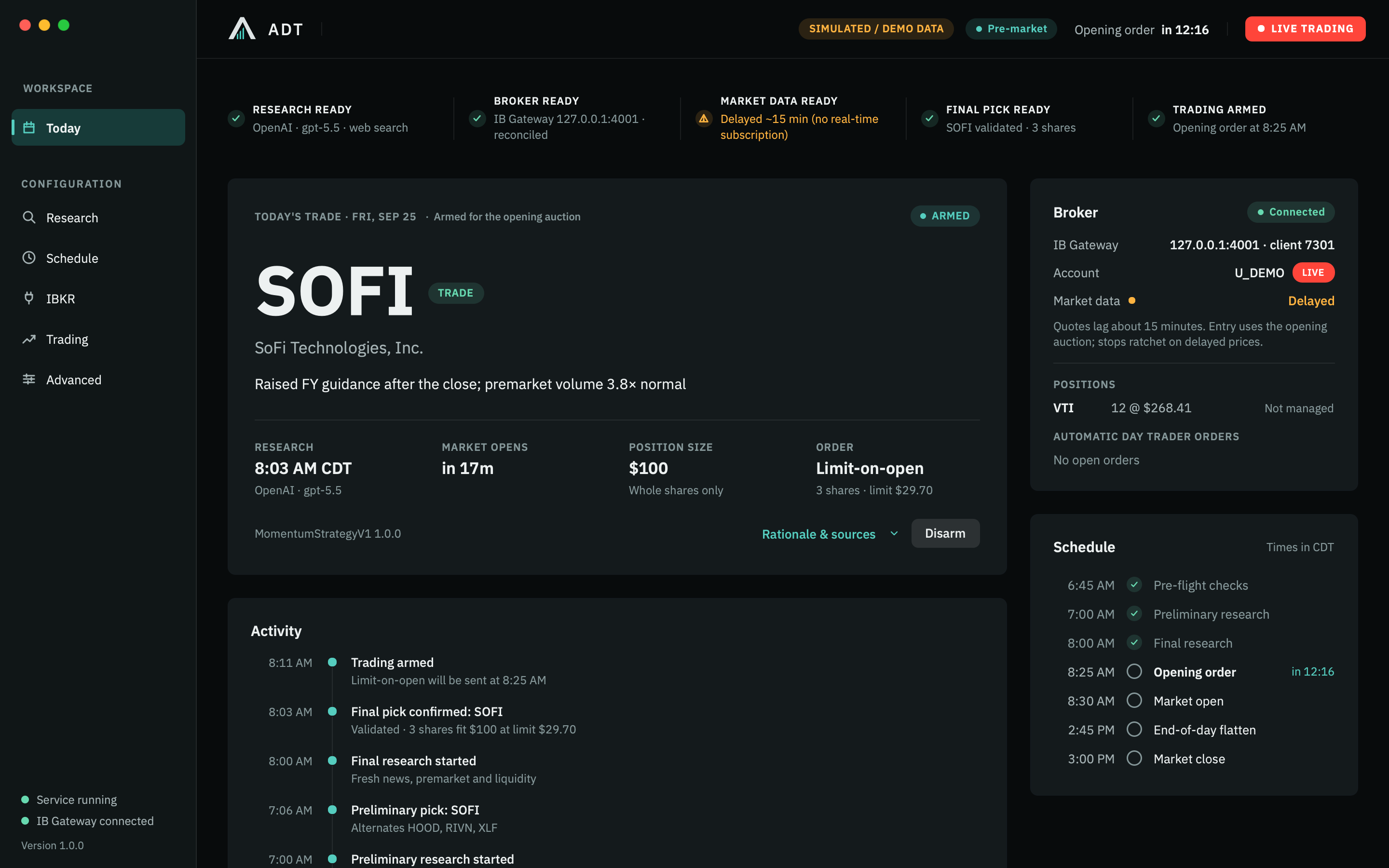
A historical backtest answers a different question: how a strategy behaves on historical data under specified assumptions. A demonstration fixture answers a narrower one: what the interface displays for a selected state. ADT’s website uses isolated fixtures to render the actual UI; the screenshots do not come from a live brokerage account.
Treat each form of testing as evidence with a scope. Do not promote a demonstration screen into a performance claim or treat one completed paper trade as a complete system validation.
Establish a known starting environment
Record the application build, strategy configuration, account mode, paper account identifier, gateway version, API port, data permissions and test date in a private test record. Never publish account identifiers or credentials with screenshots.
For ADT, connect the intended IBKR paper account using the connection instructions. Confirm the application reports PAPER. A commonly used paper port is not proof of paper mode: ports are editable, and the broker-reported account is what matters.
Verify the computer stays awake, the background service is available, research can complete, the exchange calendar is correct and the selected amount produces an eligible whole-share quantity. Inspect the broker directly for unexpected positions or working orders before starting.
Rehearse the normal session
Write the expected evidence before running the test. That makes the test useful even when the result is inconvenient.
| Checkpoint | Evidence to retain | Question to answer |
|---|---|---|
| Research | Saved candidate, source times and validation result | Was a usable decision available before entry? |
| Arming | Account mode and readiness checks | Why was entry allowed or blocked? |
| Submission | Order type, quantity, broker identifier and timestamp | What exactly was requested? |
| Fill | Execution record and actual broker quantity | Did the local position match the simulated broker? |
| Protection | Accepted orders and displayed authority | Which component is currently monitoring or holding protection? |
| Exit | Exit request, fills, final position and working orders | Did the broker confirm the end state? |
In ADT, the current workflow uses an opening limit order with a conditional fallback. IBKR’s simulator does not support every production order type and behavior. If an auction path cannot be exercised faithfully, mark that case as a coverage gap; do not change live configuration merely to force a test to appear successful.
Include failure and no-trade cases
Use the paper environment for controlled exceptions. Rehearse them only when you can observe the broker directly and restore the setup.
- No usable research: confirm the system does not create an entry from missing or invalid output.
- Insufficient funds or ineligible quantity: verify the reason for blocking appears clearly.
- Delayed or missing quotes: confirm the data label and the restrictions on actions that require fresh prices.
- Rejected entry: inspect the broker message and ensure a request is not counted as a fill.
- Gateway interruption: restore the connection and verify the system reconciles before resuming.
- Service restart: confirm persisted session state is retained and the order is not blindly duplicated.
- Manual intervention: rehearse the documented flatten and recovery procedures, then verify the resulting broker position.
- Unfilled or partial entry: when the simulator permits it, check executed quantity, working remainder and subsequent protection separately.
Some conditions cannot be induced reliably in a broker simulator. Keep those limitations explicit and use implementation tests for deterministic event sequences. A test matrix with a visible gap is more useful than an unsupported “all scenarios passed.”
Understand IBKR paper limitations
IBKR states that paper trades do not execute on an exchange. Its simulator derives fills from the top of the book, excludes certain order types and simulates stops and complex orders with behavior that may differ from production. See the current paper trading account documentation.
Consequently, paper fills cannot validate live queue position, market impact or every partial-fill sequence. Broker permissions and data configuration also deserve their own checks. Record the data mode for each test instead of assuming the quote used by the application was real time.
There is no universal number of paper days that makes a system safe. Define required scenarios and inspect their evidence. Repetition is useful when it tests varying conditions, rather than merely accumulating an attractive simulation result.
Keep a reviewable test record
Download the blank paper-test record (CSV). It contains scenario prompts and “Not exercised” placeholders, with no trading results or account data. Keep completed copies private.
Use one row per scenario: date, build, configuration, expected behavior, actual behavior, broker evidence, result and unresolved issue. “Not exercised” is a valid result. Keep detailed account records private; share a sanitized summary when requesting support.
ADT’s session reports and diagnostics are available through Settings → Advanced. Save the record before changing configuration, so the explanation of a failed rehearsal remains tied to the version and settings that produced it. The operator documentation explains the export surfaces.
Moving from paper to live is a separate decision
Review the unresolved cases, broker requirements, data costs, support arrangements and recovery procedure. Understand that a live account introduces actual loss and execution risk. Testing does not decide suitability or guarantee a result.
In ADT, live trading requires explicit account-bound authorization in Settings → Trading. Connecting a live gateway does not enable it by itself. Confirm the account, configuration and operating responsibilities before considering that authorization. Read the risk disclosure and retain a plan for direct broker intervention.
Rehearse the configured multi-position envelope
Begin with one entry, then expand toward the intended count. Verify candidate price constraints, qualified reserves, concurrent-position and capital limits, partial fills, rejected exits, duplicate messages and restart recovery. Interrupt one lifecycle and confirm the others retain their own high-water marks, protection and order identities.
Exercise Pause New Entries, Disarm, Flatten Position, Flatten All and Emergency Stop. Normal protective and session exits should initiate without a manual click. A submitted exit remains pending until broker-confirmed flat. Verify every lifecycle and the aggregate session summary, including skipped reasons and remaining exposure.
Software scenarios through 100 lifecycles do not establish broker throughput or live reliability. The default adapter’s 76 managed-lifecycle quote ceiling can be lowered by the account and data setup. Confirm the intended operating scale in the actual paper environment.