The operating envelope
See configured limits, active positions, candidate and entry counts, skipped opportunities and flat-confirmation status. Each position keeps its own protection and order state.

On Mac and Windows, define maximum entries, simultaneous positions, position size and total capital. Once authorized, ADT manages qualifying positions from constrained research through configured automatic exits and broker-confirmed flat.
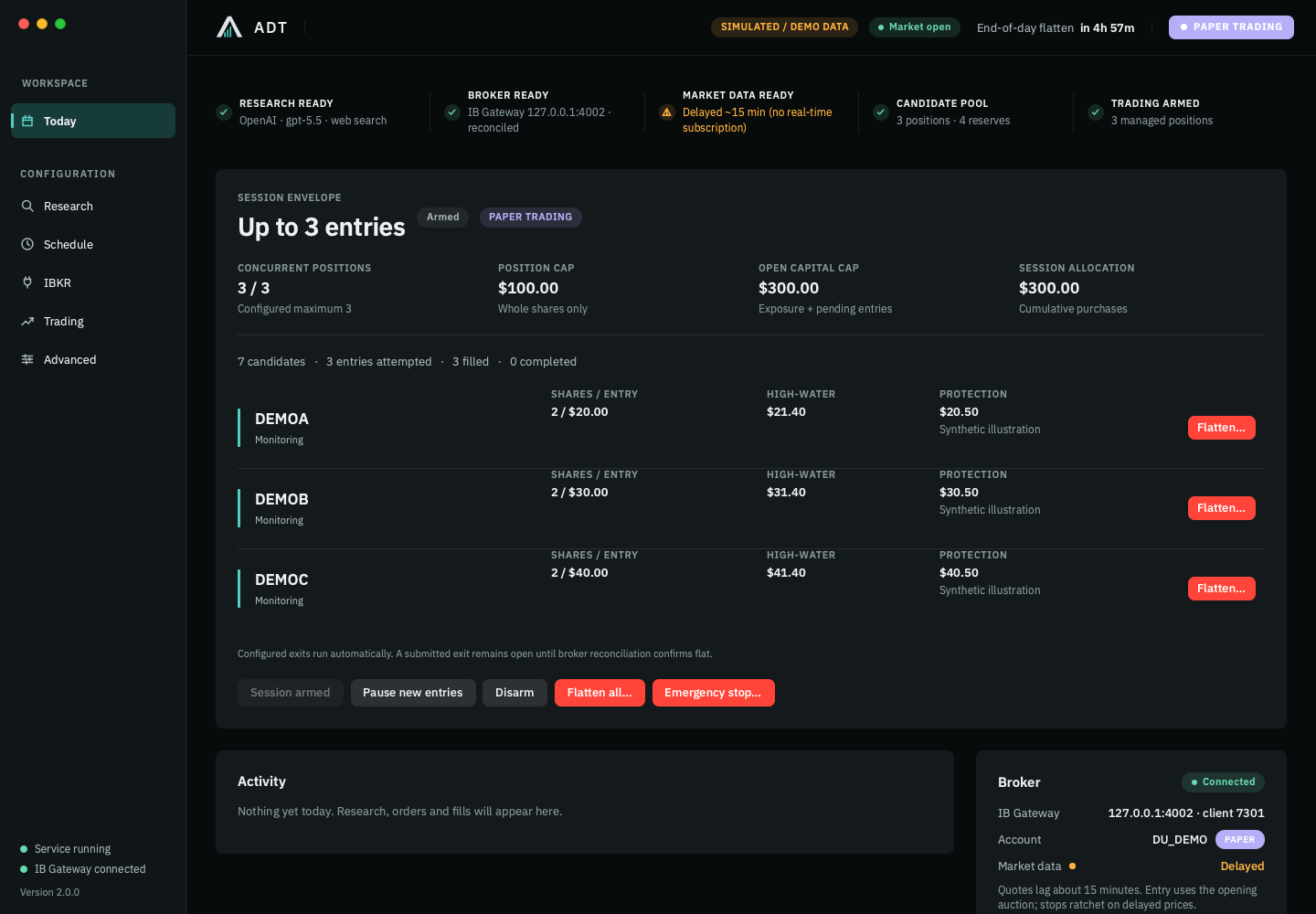
The application shows what it knows, what the broker reports and what it is waiting for. Warnings and blocked conditions remain visible alongside the work.
See configured limits, active positions, candidate and entry counts, skipped opportunities and flat-confirmation status. Each position keeps its own protection and order state.
Inspect entry price, quantity, current stop, high-water mark, protection stage and whether protection rests at the broker.
Check connection and account mode, quote availability and the next scheduled event. A delayed quote is identified as delayed.
Connecting an account does not authorize live entry. The live-trading switch is bound to the selected account and accompanied by a confirmation. Paper operation has its own setting.
See the control boundaries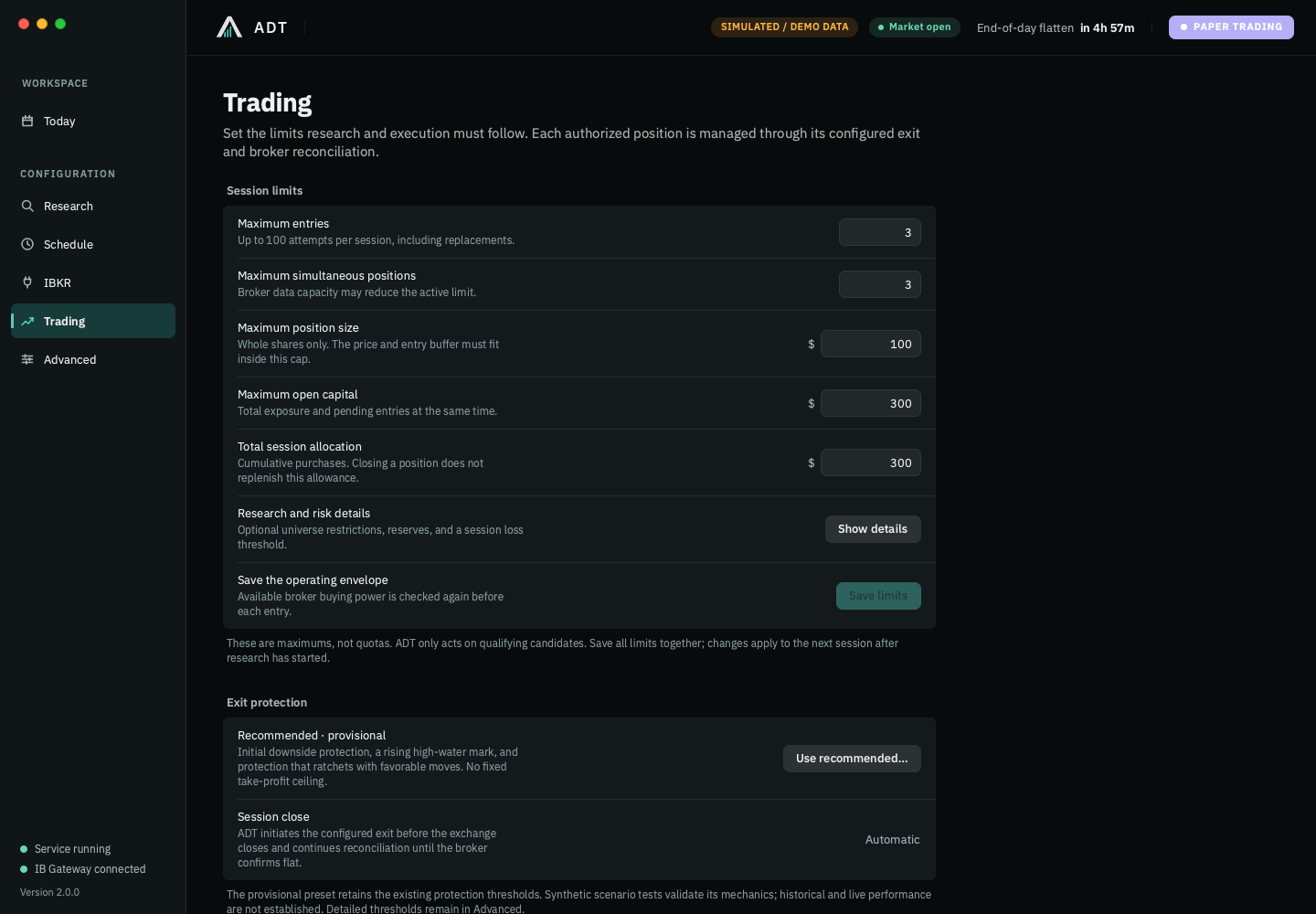
The interface is a client of the local trading service. The service owns the broker session, scheduler, research and execution. Your machine and connections remain operational dependencies.
Session limits stay simple; optional universe, reserves and observed-loss controls expand on demand. Protection presets are versioned, and applying recommended settings is deliberate.
Session intent, ranked candidates and independent lifecycle transitions, orders and executions support reports and diagnostics. The broker remains authoritative for exposure.
Startup and reconnect trigger reconciliation. Unresolved exposure can block a new entry and keep the exit process active.
Software simulation exercises 1, 5, 10, 25, 50 and 100 lifecycles. The configuration ceiling is 100 session entries; the default IBKR adapter reserves four of its 80 quote slots for validation, leaving at most 76 active lifecycle subscriptions. Your account, market-data entitlement, liquidity and entry window can lower this further.
This is software scenario validation, not IBKR paper or live certification. Rehearse the intended scale with your own paper environment before enabling live operation. See operating limits.
A deliberate one-entry configuration: follow one fictional position through the application. Larger sessions run independent lifecycles under the same configured envelope.
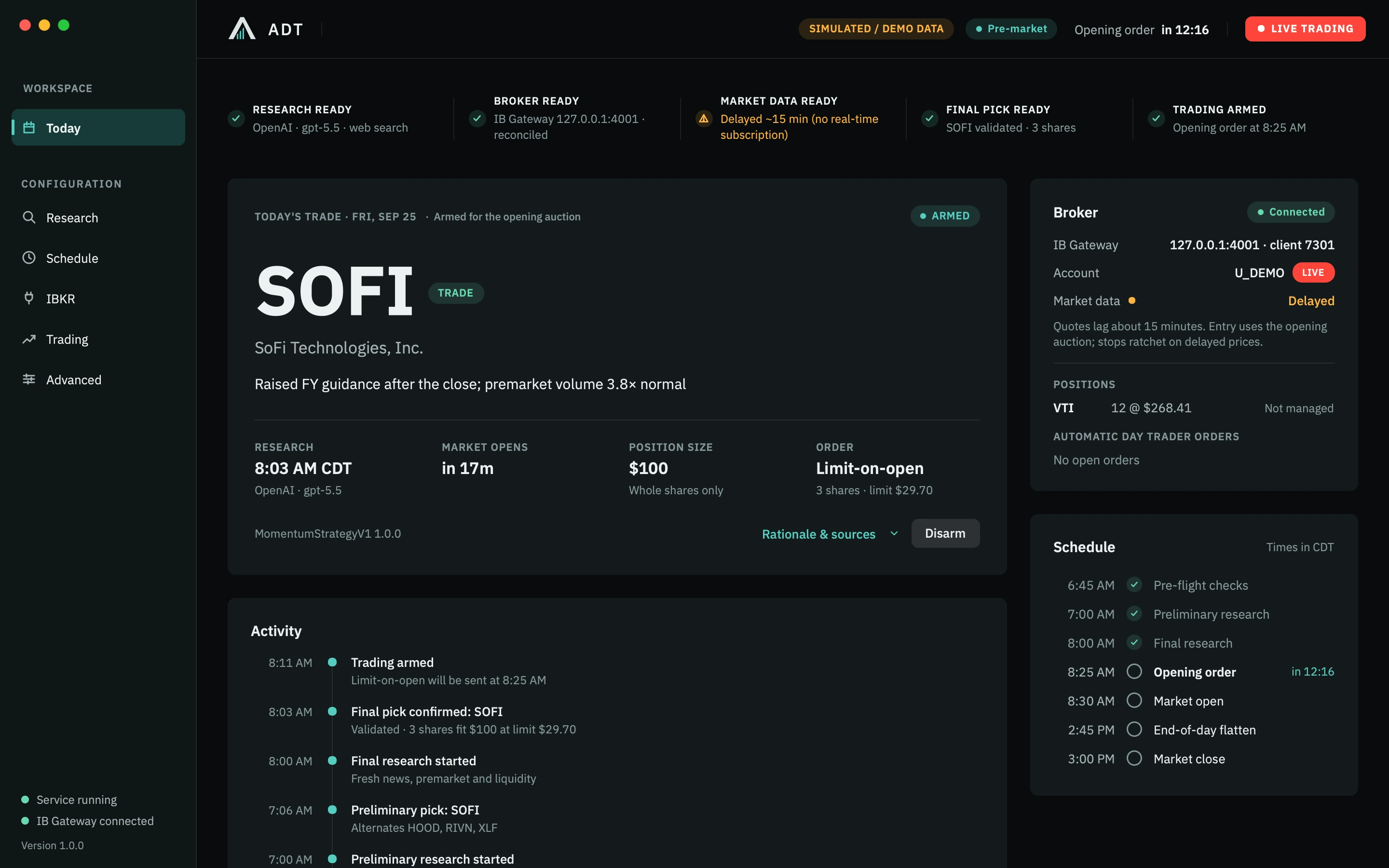
This one-entry configuration has selected SOFI. The dashboard shows the catalyst, $100 position budget and a limit-on-open order for 3 whole shares. Rationale & sources opens the supporting research.
Configured exits are automatic. Manual flatten is an operator override; live authorization remains explicit.
Explore the trading controlsUse the automated trading software evaluation framework to compare broker fit, recovery, support and complete operating costs.
Profit-protection activation raises a protective threshold. It does not impose a fixed take-profit ceiling. Actual fills depend on broker acceptance, liquidity and the available price.
Broker fills establish the quantity and average entry.
The configured downside stop protects confirmed exposure.
Each position records its own high-water mark.
The threshold advances protection; the position can keep running.
A higher peak can raise the stop. A pullback does not lower the recorded high or loosen the threshold.
A reversal through protection, the session deadline or an enabled observed-loss condition initiates the exit.
ADT reconciles fills, position quantity and remaining orders before marking the lifecycle complete.
Mechanics, not a performance example. The recommended preset is provisional and retains existing thresholds after synthetic scenario evaluation. Read the values, evidence and limitations.
Explore the package, review your requirements and request guided access to ADT.